Does Jeep Wrangler Have a Backup Camera and How to Use It
Your Jeep Wrangler has a backup camera if it’s a 2018 or newer model, especially higher trims like Sahara or Rubicon. It activates automatically when you shift into reverse, showing helpful green, yellow, and red lines on the screen to guide your parking. If you own an older model, you can add an aftermarket camera for better safety. Keep the lens clean to avoid blurry images. You’ll find plenty more tips on using, maintaining, and upgrading your backup camera.
Which Jeep Wrangler Models Have Backup Cameras
Although backup cameras have become standard in many vehicles, not all Jeep Wrangler models come equipped with them.
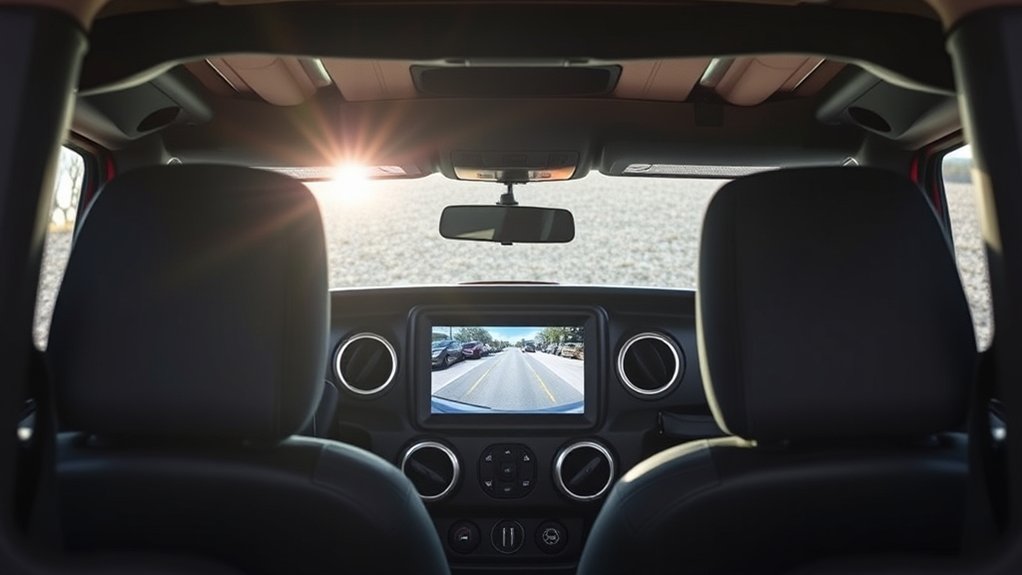
If you own a 2018 or newer Wrangler, you’ll find that backup cameras are typically included, especially in higher trims like the Sahara and Rubicon.
For 2017 and earlier models, backup cameras were often optional or unavailable, depending on the trim level and package.
When shopping for a Jeep Wrangler, it’s important to check the specific model year and trim to confirm if a backup camera is part of the standard features.
If your Wrangler doesn’t have one, you can consider aftermarket options.
Being aware of which models include backup cameras helps you make informed decisions about safety and convenience features.
Why Backup Cameras Matter for Jeep Wrangler Safety and Parking
Because the Jeep Wrangler often tackles rugged terrain and tight trails, having a backup camera considerably enhances your ability to park safely and navigate tricky spots. It gives you a clear view of what’s behind your vehicle, helping you avoid obstacles like rocks, low branches, or uneven ground that could damage your Wrangler or cause accidents.
When parking in crowded areas or narrow spaces, the camera boosts your confidence by eliminating blind spots, making parallel parking or reversing much easier. It also improves safety for pedestrians, pets, or children that might be out of your direct line of sight.
Ultimately, a backup camera acts as an extra set of eyes, increasing your awareness and reducing the risk of collisions or costly repairs.
Where to Find Your Jeep Wrangler Backup Camera
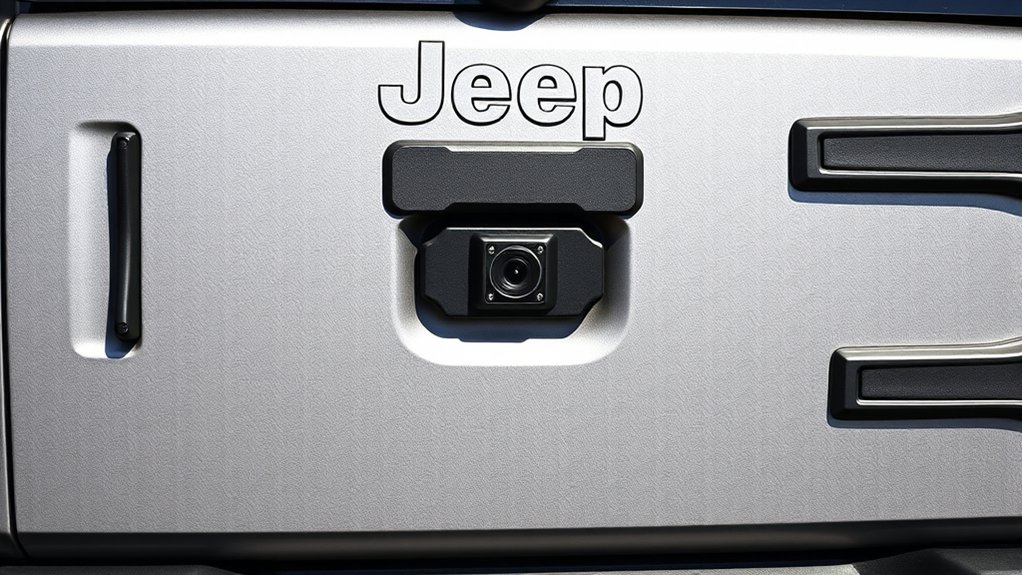
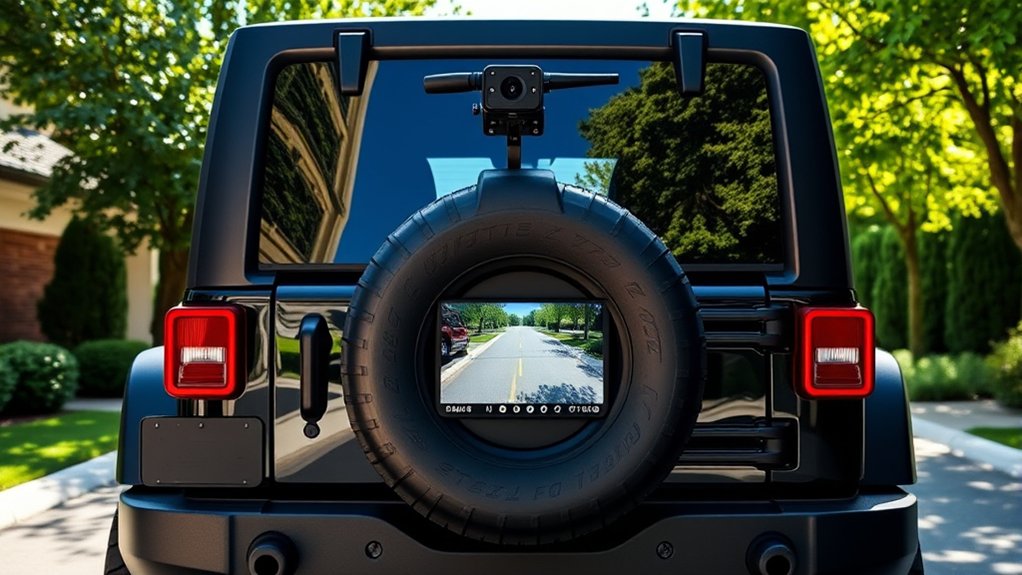
Wondering where exactly your Jeep Wrangler’s backup camera is located? You’ll find it mounted right on the spare tire carrier at the back of your vehicle. This position offers a clear, wide view of what’s behind you, helping you avoid obstacles when reversing.
The camera is usually integrated near the center of the spare tire bracket, making it easy to spot once you look closely. Depending on your Wrangler model and trim, the camera might be concealed within the tire mount or just above the rear bumper.
If you have a newer model, the backup camera is a standard feature, while older versions might require an aftermarket installation. Knowing its location guarantees you can keep the lens clean and unobstructed for the best visibility.
How to Activate the Jeep Wrangler Backup Camera Display
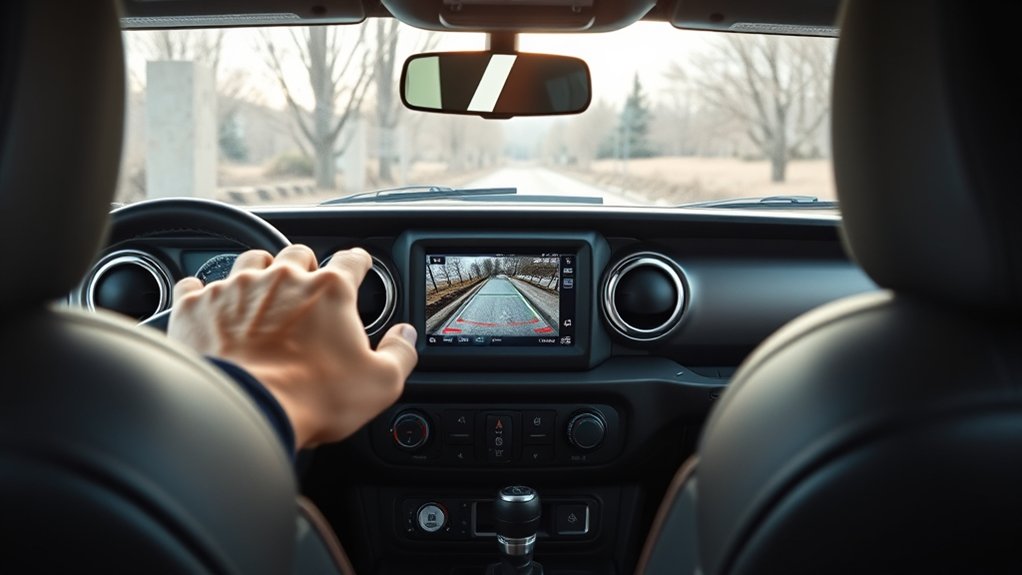
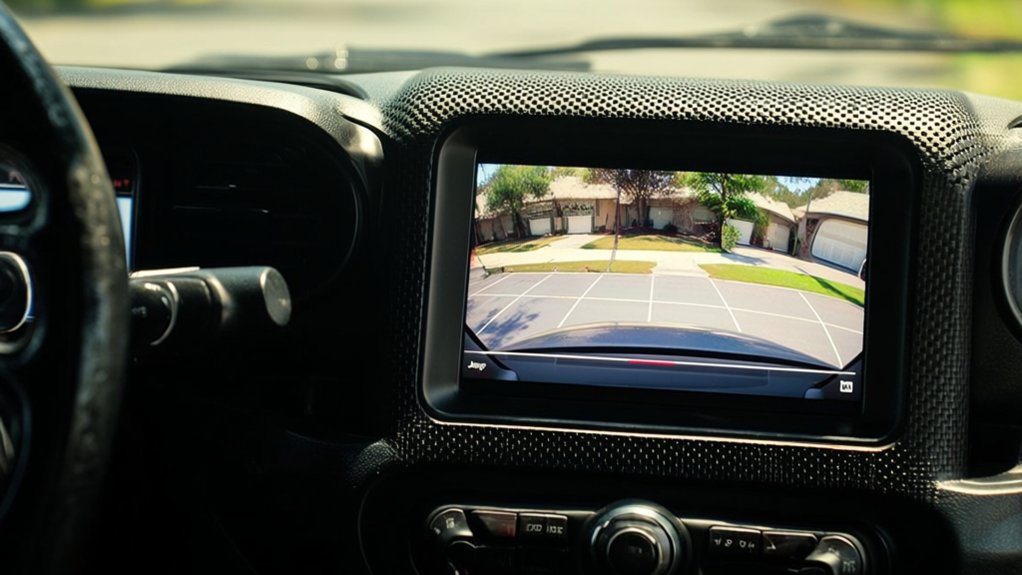
When you shift your Jeep Wrangler into reverse, the backup camera display automatically turns on, giving you a clear view of what’s behind your vehicle.
To guarantee the camera activates smoothly, follow these steps:
- Start your Jeep and ensure the infotainment system is powered on.
- Put the gear lever into the reverse position; this triggers the camera display.
- Check your infotainment screen for the backup camera feed—it should appear immediately.
- If the display doesn’t activate, verify that the camera system settings aren’t disabled in your vehicle’s menu.
How to Read Your Backup Camera View and Parking Guidelines
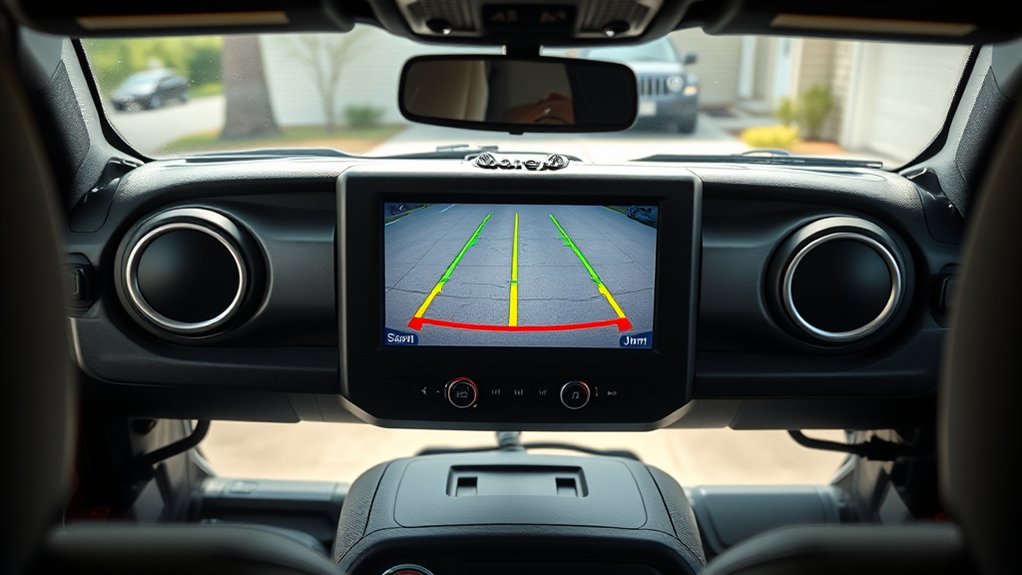
When you look at your backup camera display, you’ll notice guidelines that help you judge distance and alignment. Understanding these lines lets you park safely and avoid obstacles.
Let’s go over how to interpret the view and follow parking tips that keep you confident behind the wheel.
Understanding Camera Display
How do you make the most of your Jeep Wrangler’s backup camera? Understanding the camera display is key to parking safely and confidently. When you shift into reverse, the screen shows a live view behind your vehicle, often with colored guidelines to help judge distances.
Here’s how to read the display effectively:
- Green lines indicate a safe zone, letting you know there’s plenty of space.
- Yellow lines warn you’re getting closer to an obstacle.
- Red lines mean stop immediately to avoid a collision.
- Center guide line helps keep your Wrangler aligned while backing up.
Safe Parking Tips
Although parking can be challenging, your Jeep Wrangler’s backup camera makes it easier by providing clear visual cues and guidelines.
When you look at the camera display, pay close attention to the colored lines—they show safe distances. The green lines mean you have ample space, yellow signals caution, and red warns you’re very close to an object.
Use these cues to judge how much room you have while reversing. Always check your surroundings by glancing over your shoulders and using mirrors, as the camera has blind spots.
Take it slow, especially in tight spots, and align your vehicle within parking lines. By combining these visual aids with careful observation, you’ll park safely and confidently every time.
Backup Camera Safety Tips for Off-Road and On-Road Driving
When driving your Jeep Wrangler off-road, use the backup camera to spot obstacles that might be hard to see from your seat.
On the road, rely on the camera to enhance your awareness during tight maneuvers or parking.
Let’s explore how to use your backup camera safely in both settings.
Off-Road Visibility Tips
Since off-road terrain often presents unpredictable obstacles, using your Jeep Wrangler’s backup camera effectively can substantially enhance your visibility and safety. You’ll want to combine the camera feed with your own observations to navigate tricky spots confidently.
Here are four off-road visibility tips to maximize your backup camera use:
- Clean the camera lens regularly to prevent mud or dust from obscuring your view.
- Use slow, controlled movements when reversing to give yourself time to react to obstacles.
- Complement the camera with side mirrors and spotters if available, for a full perspective.
- Familiarize yourself with the camera’s field of view limits so you don’t rely solely on it.
Following these tips will help you tackle rough terrain while keeping your Jeep and yourself safe.
On-Road Camera Usage
How can you make the most of your Jeep Wrangler’s backup camera while driving on regular roads? Use it as an extra set of eyes when reversing, especially in tight parking spots or crowded areas. Always check your mirrors and physically look around, but rely on the camera to spot low obstacles or pedestrians behind you.
Keep the camera lens clean to maintain a clear view, and adjust your speed to react promptly to what you see. Avoid depending solely on the camera; it’s a tool to enhance awareness, not replace safe driving habits.
When backing out of driveways or parking spots, use the camera to confirm there’s nothing in your blind spot. Combining these steps helps you drive safer and avoid accidents on-road.
Jeep Wrangler Backup Camera and Trailer Towing Tips
Although towing a trailer with your Jeep Wrangler can be challenging, using the backup camera makes it much easier to maneuver safely. The camera gives you a clear view of the trailer’s position, helping you avoid obstacles and align properly.
Here are four essential trailer towing tips when using your Jeep Wrangler’s backup camera:
- Adjust the trailer mirrors for a wider view beyond the camera’s scope.
- Use slow, steady movements when backing up to maintain control.
- Check the camera lens regularly to keep it clean and free of debris.
- Practice reversing with the trailer in a safe area to get comfortable with the camera’s perspective.
Following these tips helps you tow confidently and prevents accidents while relying on your backup camera.
Fixing Common Backup Camera Problems in Your Jeep Wrangler
Using your Jeep Wrangler’s backup camera while towing can make the process smoother, but like any tech, the camera might sometimes act up. To fix common issues, start by cleaning the camera lens—dirt and water spots often cause blurry images. If the display doesn’t turn on, check the fuse or wiring connections. For flickering images, inspect the camera’s wiring for damage or loose connections.
| Problem | Cause | Solution |
|---|---|---|
| Blurry Image | Dirt/Water on lens | Clean lens with soft cloth |
| No Display | Blown fuse or wiring | Check and replace fuse/wiring |
| Flickering Image | Loose/damaged wiring | Inspect and secure wiring |
Addressing these quickly keeps your backup camera reliable and safe.
Can You Add a Backup Camera to Older Jeep Wrangler Models?
If your older Jeep Wrangler lacks a backup camera, you can easily add one to enhance safety and convenience. Installing a backup camera is a practical upgrade that helps you avoid obstacles and improves visibility.
Here’s how you can do it:
- Choose a compatible camera kit designed specifically for Jeep Wranglers or universal models.
- Mount the camera near the rear license plate or on the tailgate for the best view.
- Wire the camera to your Jeep’s reverse light circuit to activate it automatically when you back up.
- Connect the display to your existing infotainment screen or install a standalone monitor inside the cabin.
Adding a backup camera to your older Wrangler is straightforward and boosts your confidence while reversing.
Factory vs. Aftermarket Jeep Wrangler Backup Cameras: Which Is Best?
Adding a backup camera to your older Jeep Wrangler gives you more options when choosing the right system for your needs. Factory cameras come integrated, offering seamless fit and reliable performance. Aftermarket options provide flexibility, often at a lower price, and feature varied designs and functionalities. Your choice depends on budget, installation ease, and desired features.
| Feature | Factory Camera | Aftermarket Camera |
|---|---|---|
| Installation | Plug-and-play | May require professional help |
| Integration | Perfect fit with vehicle systems | Varies by model |
| Cost | Higher upfront cost | Generally more affordable |
| Features | Standard, reliable | Wide range, customizable |
Consider what matters most to you before deciding which backup camera suits your Jeep Wrangler best.
What’s Next for Jeep Wrangler Backup Camera Technology?
You’ll soon see Jeep Wrangler backup cameras with sharper resolution that make every detail clear. These systems will also sync with advanced sensors to give you smarter alerts.
Plus, improved night vision will help you back up confidently, even in low light.
Enhanced Camera Resolution
How can enhanced camera resolution transform your Jeep Wrangler’s backup experience? With sharper, clearer images, you’ll spot obstacles faster and navigate tight spots with greater confidence. Higher resolution means more details on your screen, reducing blind spots and increasing safety.
Here’s what enhanced resolution brings to your backup camera:
- Improved visibility in low light or harsh weather conditions.
- Crispier image quality for precise object identification.
- Easier alignment when hooking up trailers or parking.
- Reduced eye strain thanks to clearer, more natural visuals.
Integration With Advanced Sensors
While enhanced resolution has improved what you see, integrating advanced sensors takes your Jeep Wrangler’s backup camera to a whole new level. These sensors work alongside the camera to detect obstacles, alerting you with audible and visual warnings.
You’ll benefit from features like cross-traffic alerts and blind-spot detection, making parking and off-roading safer and less stressful. The system can even gauge the distance between your vehicle and objects behind you, giving you real-time feedback as you reverse.
Improved Night Vision
Building on the enhanced sensor integration, Jeep Wrangler backup cameras are now advancing to tackle low-light challenges. Improved night vision technology is designed to give you clearer, safer views when backing up in the dark.
Here’s what you can expect next:
- Infrared Illumination – Cameras will use IR light to highlight obstacles without blinding glare.
- Enhanced Image Processing – Software upgrades will sharpen images and reduce noise in low-light conditions.
- Adaptive Brightness – The system will automatically adjust screen brightness for ideal visibility.
- Thermal Imaging – Future models might include thermal sensors to detect heat signatures, improving safety for pedestrians and animals.
With these upgrades, you’ll back up confidently anytime, day or night.
Frequently Asked Questions
Does the Jeep Wrangler Backup Camera Work in All Weather Conditions?
Yes, your Jeep Wrangler’s backup camera works in most weather conditions, but heavy rain, snow, or mud can temporarily obscure the lens. Regularly clean it to maintain clear visibility and guarantee safe reversing.
Can the Backup Camera Angles Be Adjusted on the Jeep Wrangler?
Want to customize your view? You can’t adjust the backup camera angles manually on a Jeep Wrangler, but the system provides a wide-angle lens to give you a broad perspective, helping you park safely every time.
Is the Backup Camera Display Affected by Jeep Wrangler Window Tint?
Yes, your Jeep Wrangler’s backup camera display can be affected by window tint if the tint is too dark or reflective, potentially reducing visibility. Choose a tint that balances style and camera clarity to avoid issues while reversing.
How Does the Backup Camera Integrate With Jeep Wrangler’s Infotainment System?
The backup camera seamlessly integrates with your Jeep Wrangler’s infotainment system, automatically displaying the rear view on the touchscreen when you shift to reverse, helping you navigate safely and easily without extra steps or distractions.
Are There Any Warranty Considerations for Jeep Wrangler Backup Cameras?
Of course, your backup camera warranty won’t cover if you intentionally back into a tree. But seriously, it’s generally covered under Jeep’s basic warranty, so take care of it, and you’re good for repairs or replacements.
Conclusion
Guiding your Jeep Wrangler without a backup camera is like sailing blind in a foggy harbor. Luckily, whether your model came with one or you add an aftermarket option, this tech acts as your trusty lookout, guiding you safely into tight spots. By mastering its use and understanding common quirks, you’ll park with confidence and ease. So, embrace the backup camera—it’s your Jeep’s extra set of eyes, making every reverse a breeze.