Does Jeep Renegade Have Android Auto?
Yes, your Jeep Renegade supports Android Auto if it’s a 2017 model or newer, especially in trims like Limited or Trailhawk. You can easily connect your compatible Android phone via USB or wirelessly with newer systems to access apps, navigation, messages, and music through the infotainment screen. This feature helps keep you focused and hands-free while driving. If your Renegade is older or lacks Android Auto, there are still options to stay connected and entertained. Discover more about setup, compatibility, and alternatives ahead.
Does the Jeep Renegade Support Android Auto? Which Models Include It?
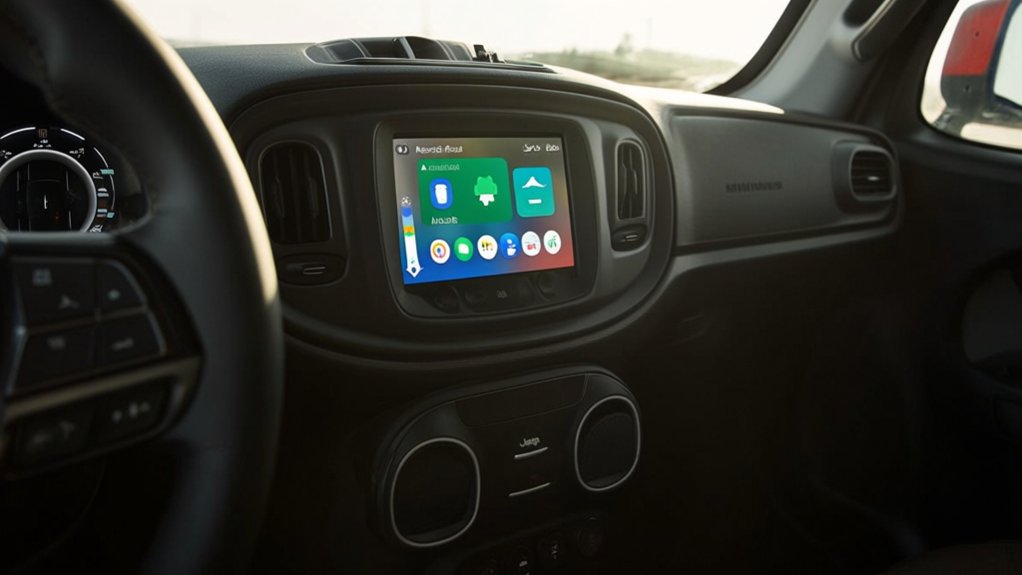
Yes, the Jeep Renegade supports Android Auto, but availability depends on the model year and trim level. When you connect your Android smartphone, you can access apps, navigation, music, and messages directly through the Renegade’s infotainment system. This integration makes your drive both safer and more convenient by minimizing distractions.
However, not every Renegade comes with this feature as standard. Some earlier models or base trims might lack Android Auto compatibility. Still, if you want seamless smartphone integration, you’ll want to verify the specific model’s infotainment capabilities before buying or leasing.
Jeep Renegade Model Years and Trims With Android Auto
If you’re considering a Jeep Renegade with Android Auto, it’s important to know which model years support it. Generally, Renegades from 2018 onward offer Android Auto compatibility.
You’ll also find that certain trim levels include this feature as standard or optional.
Compatible Model Years
Which Jeep Renegade model years come equipped with Android Auto? Starting with the 2017 model, Jeep began including Android Auto as a standard or available feature in most Renegade trims.
If you’re looking at a 2017 or newer Renegade, you can expect compatibility with Android Auto.
Earlier models, from 2015 and 2016, typically don’t support this feature unless aftermarket upgrades are installed.
From 2017 onward, Jeep consistently enhanced infotainment systems, ensuring smoother Android Auto integration.
So, if having Android Auto is important to you, focusing on Renegades from 2017 or later is your best bet.
This way, you can enjoy seamless smartphone connectivity without worrying about compatibility issues related to older model years.
Trim Levels Featuring Android Auto
Although Android Auto became available starting with the 2017 Jeep Renegade models, not every trim includes it as a standard feature. If you want seamless smartphone integration, look for trims like the Limited, Trailhawk, and Altitude, which typically come equipped with Android Auto.
The base Sport trim often lacks this feature unless you opt for an upgraded infotainment package. From 2019 onward, Android Auto became more widely available across various trims, sometimes as part of an optional tech or convenience package.
When shopping, check the specific model year and trim details carefully, since availability can vary. By choosing the right trim, you’ll enjoy easy access to apps, navigation, and music through your Renegade’s touchscreen without needing extra modifications.
How Android Auto Improves Infotainment in the Jeep Renegade
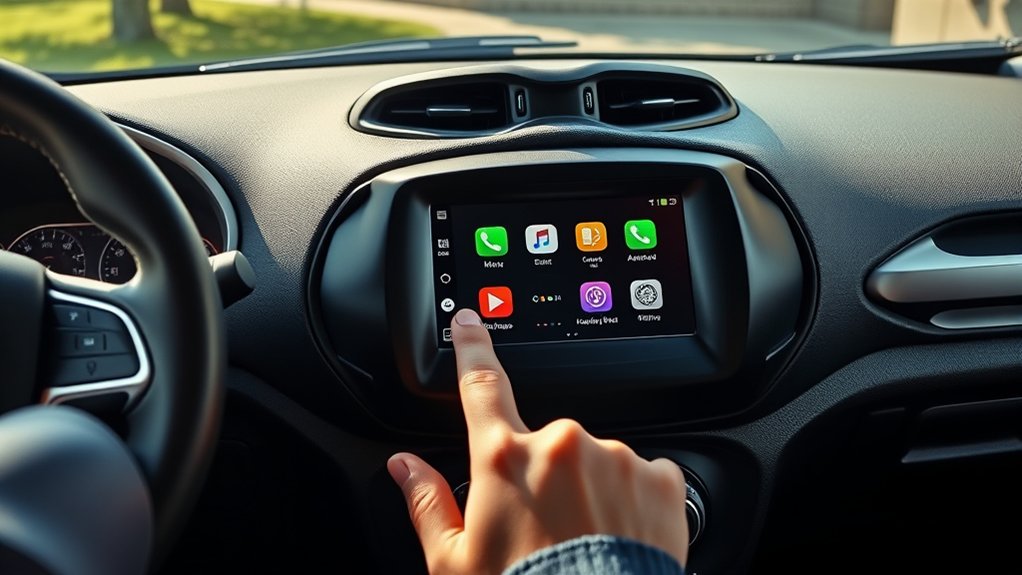
When you connect your Android device to the Jeep Renegade, Android Auto transforms your infotainment system into a seamless extension of your phone. You gain easy access to your favorite apps, navigation, music, and communication tools right on the vehicle’s touchscreen.
This integration keeps you focused on the road by allowing voice commands through Google Assistant, so you can send messages, make calls, or get directions hands-free.
Android Auto also updates in real-time, providing live traffic info and alerts to help you avoid delays.
Plus, it supports a wide range of apps, ensuring your entertainment and productivity needs are covered.
Smartphone Requirements for Android Auto in the Jeep Renegade
To enjoy all the benefits Android Auto brings to your Jeep Renegade, your smartphone must meet specific requirements. You’ll need a compatible Android device running Android 6.0 (Marshmallow) or higher, with a stable data connection to access apps and services seamlessly. A USB cable or wireless connection option is necessary to link your phone to the vehicle’s infotainment system. Battery life and storage space also play a role in guaranteeing smooth performance during drives.
| Requirement | Minimum Specification | Why It Matters |
|---|---|---|
| Android Version | 6.0 (Marshmallow) or up | Supports app compatibility |
| Data Connection | 4G LTE or Wi-Fi | Ensures real-time updates |
| Connection Type | USB cable or wireless | Enables interface functionality |
| Battery Life | Sufficient charge | Prevents interruptions |
| Storage Space | Enough free storage | Allows app installation |
How to Connect Android Auto in Your Jeep Renegade
To connect Android Auto in your Jeep Renegade, start by preparing your smartphone with the necessary app and permissions.
Then, plug your device into the car’s USB port to establish the connection.
Once connected, you can easily navigate Android Auto through the vehicle’s touchscreen.
Preparing Your Device
Before connecting Android Auto in your Jeep Renegade, make sure your smartphone is fully updated and has the Android Auto app installed.
Check that your phone’s operating system is compatible with Android Auto to avoid connection issues.
Enable Bluetooth and location services, as these help with a smooth setup.
Also, review your phone’s notification settings to confirm you don’t miss important alerts while driving.
It’s a good idea to close background apps that might interfere with the connection.
If you use a case or screen protector, verify it won’t block USB ports or cables.
Finally, have your charging cable ready and in good condition, since a faulty cable can prevent a stable connection.
Taking these steps guarantees a hassle-free Android Auto experience in your Jeep Renegade.
Connecting Via USB
Once your device is ready, connecting Android Auto to your Jeep Renegade via USB is straightforward.
First, plug a high-quality USB cable into your phone and the Renegade’s USB port, usually located near the center console. Your vehicle’s infotainment system should detect the connection automatically.
On your phone, you might see a prompt asking to allow Android Auto access—tap “Allow” to continue.
The Jeep’s display will then switch to the Android Auto interface, showing compatible apps and features.
Make sure your phone stays unlocked during this process.
If the system doesn’t respond, try unplugging and reconnecting the cable or restarting your phone.
Once connected, you’re ready to enjoy hands-free navigation, calls, and music through your Jeep Renegade.
Navigating Android Auto
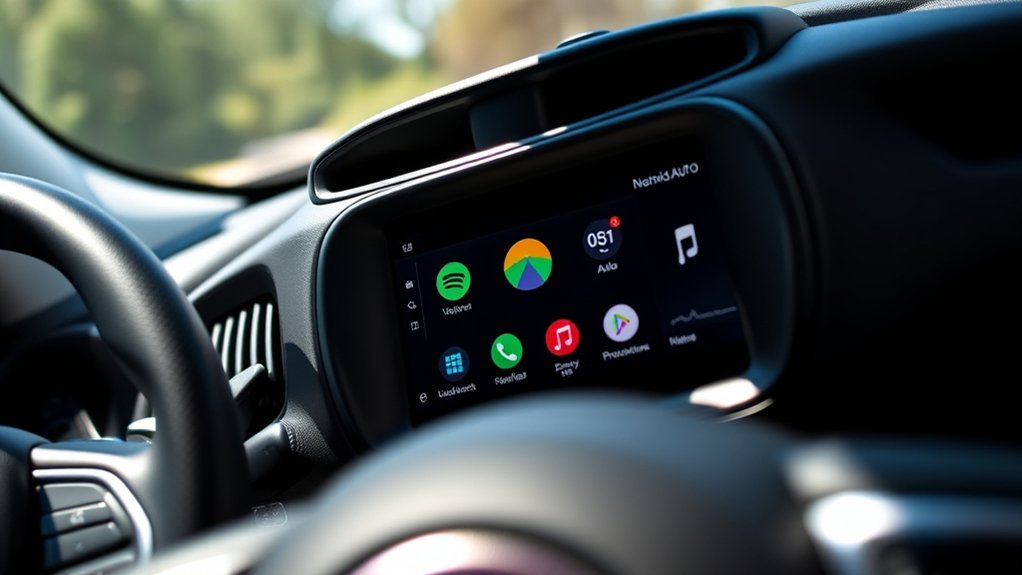
Wondering how to navigate Android Auto in your Jeep Renegade? Once connected via USB, your Renegade’s Uconnect system will automatically launch Android Auto on the touchscreen.
To start, tap the Android Auto icon on the display. You’ll see familiar apps like Google Maps, Spotify, and your phone’s dialer.
Use voice commands by pressing the steering wheel’s voice button to keep your eyes on the road. Swipe or tap the screen to switch between apps easily.
To return to the main Uconnect system, just press the home button.
If you want to customize which apps appear, open the Android Auto app on your phone and adjust settings there.
Navigating is simple, safe, and designed to keep you connected while driving.
Can You Use Android Auto Wirelessly in the Jeep Renegade?
How easily can you connect your Android device to the Jeep Renegade? While the Renegade supports Android Auto, wireless connectivity depends on the model year and infotainment system.
Most recent Jeep Renegade models come equipped with Uconnect 4 or newer, allowing wireless Android Auto. To use it wirelessly, you’ll first pair your phone via Bluetooth and connect over Wi-Fi. Once set up, your phone automatically links when you enter the vehicle, eliminating the need for a USB cable.
However, if your Renegade has an older Uconnect system, you’ll need to connect via USB to use Android Auto. Check your vehicle’s manual or system specs to confirm wireless Android Auto support before expecting a cable-free experience.
Top Apps to Use With Android Auto in the Jeep Renegade
Although the Jeep Renegade offers seamless Android Auto integration, knowing which apps enhance your driving experience can make all the difference.
Google Maps is essential for reliable navigation with real-time traffic updates.
Spotify lets you stream your favorite playlists hands-free, keeping you entertained on the road.
If you prefer podcasts, Pocket Casts offers easy access to your subscriptions without distractions.
For messaging, WhatsApp and Google Messages let you send and receive texts via voice commands, so you stay connected safely.
Finally, Waze adds community-driven alerts about road hazards, helping you avoid delays.
Troubleshooting Common Android Auto Issues in the Jeep Renegade
If you encounter issues while using Android Auto in your Jeep Renegade, don’t worry—most problems have straightforward solutions.
First, check your USB cable; a damaged or non-compatible cable often causes connection failures. Try switching to a high-quality, data-capable cable.
Make sure your phone’s Android Auto app and your vehicle’s infotainment system are updated to the latest versions.
Restarting your phone and the infotainment system can also clear temporary glitches.
If Android Auto won’t launch, verify that your phone’s Bluetooth and location services are enabled.
Sometimes, clearing the Android Auto app’s cache or reinstalling it helps resolve persistent issues.
Finally, consult your Jeep Renegade’s manual or the official support site for model-specific troubleshooting tips to get back on the road smoothly.
How Android Auto Compares to Apple CarPlay in the Jeep Renegade
When comparing Android Auto and Apple CarPlay in the Jeep Renegade, you’ll notice differences in their user interfaces and how they handle voice commands.
You’ll also want to take into account which system supports your device better for seamless compatibility.
Let’s explore what each offers to help you decide which suits your driving style.
User Interface Differences
While both Android Auto and Apple CarPlay offer seamless smartphone integration in the Jeep Renegade, you’ll notice some distinct differences in their user interfaces. Android Auto typically feels more customizable and familiar if you’re used to Android devices, while CarPlay maintains Apple’s sleek, consistent design. Here’s how they differ:
- Home Screen Layout: Android Auto shows a vertical list of apps, whereas CarPlay uses a grid of app icons.
- Navigation Focus: Android Auto emphasizes Google Maps integration, while CarPlay defaults to Apple Maps but allows alternatives.
- Voice Commands: You’ll activate Google Assistant on Android Auto and Siri on CarPlay, each with distinct interaction styles.
- App Availability: Both support major apps, but their presentation and grouping vary, affecting ease of access.
These UI nuances can shape your driving experience in the Renegade.
Compatibility and Device Support
How well does Android Auto work with your Jeep Renegade compared to Apple CarPlay? Both offer seamless integration, but your experience depends on the device you use. Android Auto supports a wider range of phone brands, while Apple CarPlay is limited to iPhones. Both systems require a compatible USB cable or wireless setup, but Android Auto sometimes demands a more recent phone model for full features.
| Feature | Android Auto | Apple CarPlay |
|---|---|---|
| Device Compatibility | Most Android phones | iPhone 5 and newer |
| Connection Type | USB and Wireless | USB and Wireless |
| App Availability | Google Maps, Spotify, Waze | Apple Maps, Apple Music |
Your choice depends on your phone and preferred apps.
Voice Command Functionality
Because voice commands keep your hands on the wheel and eyes on the road, understanding how Android Auto compares to Apple CarPlay in the Jeep Renegade is essential. Both systems offer hands-free control, but they differ in responsiveness and features.
Android Auto uses Google Assistant, which excels at natural language processing, while Apple CarPlay relies on Siri, known for seamless integration with iOS devices. Here’s how they stack up:
- Voice Activation: Android Auto responds to “Hey Google,” CarPlay to “Hey Siri.”
- Navigation Commands: Google Assistant often provides more detailed route info.
- Messaging: Both read and send texts, but Google Assistant supports more messaging apps.
- App Control: Siri integrates tightly with Apple apps; Google Assistant offers broader third-party app support.
You’ll find both improve safety, but your choice depends on your preferred ecosystem.
Updating Jeep Renegade Software for Better Android Auto Performance
To get the most out of Android Auto in your Jeep Renegade, you’ll want to keep the vehicle’s software up to date. Manufacturers regularly release updates that improve compatibility, fix bugs, and enhance overall performance.
Start by checking your infotainment system for available updates through the settings menu. You can usually download updates over Wi-Fi or via a USB drive from the Jeep website.
Make sure your phone’s Android Auto app is also updated to the latest version from the Google Play Store. Regular updates ensure smoother connectivity, faster response times, and access to new features.
Alternatives If Your Jeep Renegade Doesn’t Support Android Auto
If your Jeep Renegade doesn’t support Android Auto, you still have several options to stay connected and entertained on the road. You can explore other tech solutions that fit your needs without relying solely on Android Auto.
- Bluetooth Connectivity: Pair your phone via Bluetooth to stream music, make calls, and access basic voice commands.
- Auxiliary Input or USB: Use these ports to connect your phone directly for audio playback without smart integration.
- Aftermarket Infotainment Systems: Consider upgrading to a head unit that supports Android Auto and other smart features.
- Portable Media Devices: Use standalone GPS units or smartphone mounts for navigation and hands-free control.
These alternatives help maintain convenience and entertainment during your drives even without Android Auto support.
How Android Auto Enhances Safety and Convenience in the Jeep Renegade
While driving your Jeep Renegade, Android Auto keeps you focused by providing seamless access to navigation, calls, and messages without needing to handle your phone. This reduces distractions, letting you keep your eyes on the road and hands on the wheel.
Voice commands let you control apps, send texts, and get directions safely. The integration with your vehicle’s touchscreen makes it easy to switch between functions quickly.
Android Auto also updates in real time, giving you traffic alerts and alternate routes to avoid delays. By simplifying access to essential features, it enhances both safety and convenience, so you can enjoy your drive without fumbling through your phone or missing important information.
Tips for Getting the Most Out of Android Auto in Your Jeep Renegade
Although Android Auto is designed to be intuitive, knowing a few key tips can help you maximize its functionality in your Jeep Renegade. Here’s how you can get the most out of this powerful tool:
- Keep your apps updated – Regular updates improve compatibility and add features, ensuring smooth performance.
- Use voice commands – Tap the microphone or say “Hey Google” to minimize distractions and keep your focus on the road.
- Customize your app layout – Arrange your most-used apps on the main screen for quick access.
- Connect your phone before you start driving – This saves time and lets Android Auto launch automatically.
Frequently Asked Questions
What Is the Fuel Efficiency of the Jeep Renegade?
You’ll get about 22-24 MPG in the city and 30-32 MPG on the highway with the Jeep Renegade, depending on the engine and trim. It’s a decent balance for a compact SUV.
Does the Jeep Renegade Have Off-Road Capabilities?
You know what they say, “Where there’s a will, there’s a way.” You’ll find the Jeep Renegade has solid off-road capabilities, especially with its Trailhawk trim, tackling rough terrains confidently and making your adventures more thrilling.
What Are the Engine Options Available for the Jeep Renegade?
You’ll find the Jeep Renegade offers a 1.3L turbocharged 4-cylinder engine and a 2.4L 4-cylinder engine. Both provide a balance of power and efficiency, perfect for city drives or light off-roading adventures.
How Much Cargo Space Does the Jeep Renegade Offer?
You’ll get about 18.5 cubic feet of cargo space behind the rear seats in the Jeep Renegade, and folding those seats down expands it to around 50.8 cubic feet for larger loads or gear.
What Safety Features Come Standard in the Jeep Renegade?
Safety features in the Jeep Renegade are your trusted shield, including blind-spot monitoring, rear cross-path detection, electronic stability control, and multiple airbags. You’ll feel secure knowing it actively protects you on every adventure.
Conclusion
Connecting Android Auto to your Jeep Renegade is like opening a digital compass that guides your journey with ease and safety. Whether you’re steering through city streets or winding trails, it turns your dashboard into a smart co-pilot, blending convenience and control. If your model supports it, don’t hesitate—embrace this tech upgrade to keep your drives smooth and connected. Even without it, there are ways to stay linked, ensuring your adventure never loses direction.